How to Select or Reject a Quotation in SAP MM: Managing vendor quotations is an important part of the procurement cycle in SAP S/4HANA SAP MM. After sending RFQs (Request for Quotations) to vendors, the purchasing department receives quotations that must be compared and evaluated before selecting the best supplier.

How to Select or Reject a Quotation in SAP MM
SAP MM provides standard transactions to.
- Compare vendor quotations
- Select the best quotation
- Reject unwanted quotations
- Create Purchase Orders from selected quotations
This guide explains the complete quotation selection and rejection process in SAP MM with examples and SAP transaction codes.
What is a quotation in SAP MM?
A quotation is a vendor’s response to an RFQ sent by the purchasing department.
The quotation typically contains:
- Material price
- Delivery schedule
- Taxes and freight
- Payment terms
- Vendor conditions
- Quotation validity date
Purchasing teams use quotation comparison to identify the most suitable vendor.
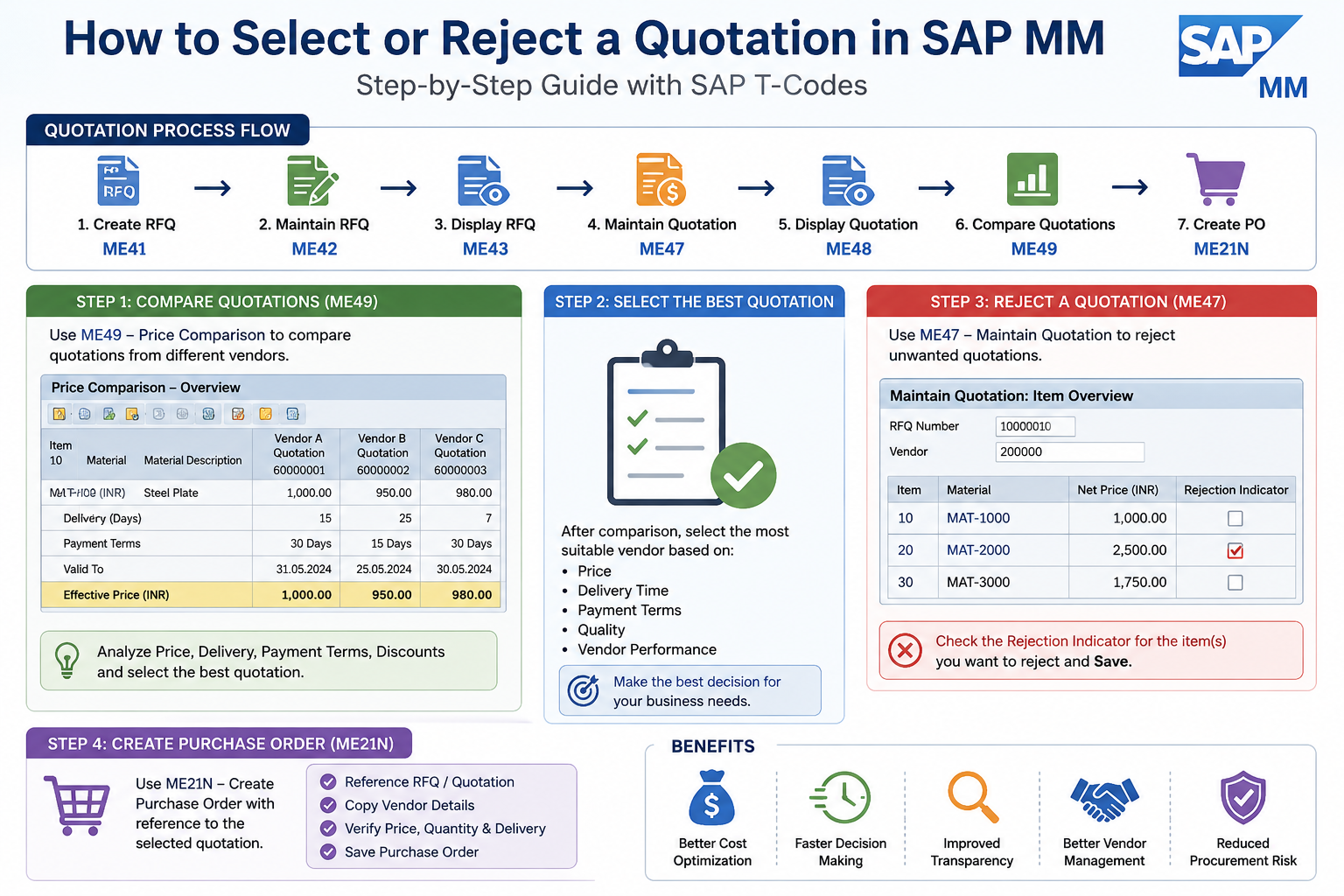
SAP Quotation Process Flow
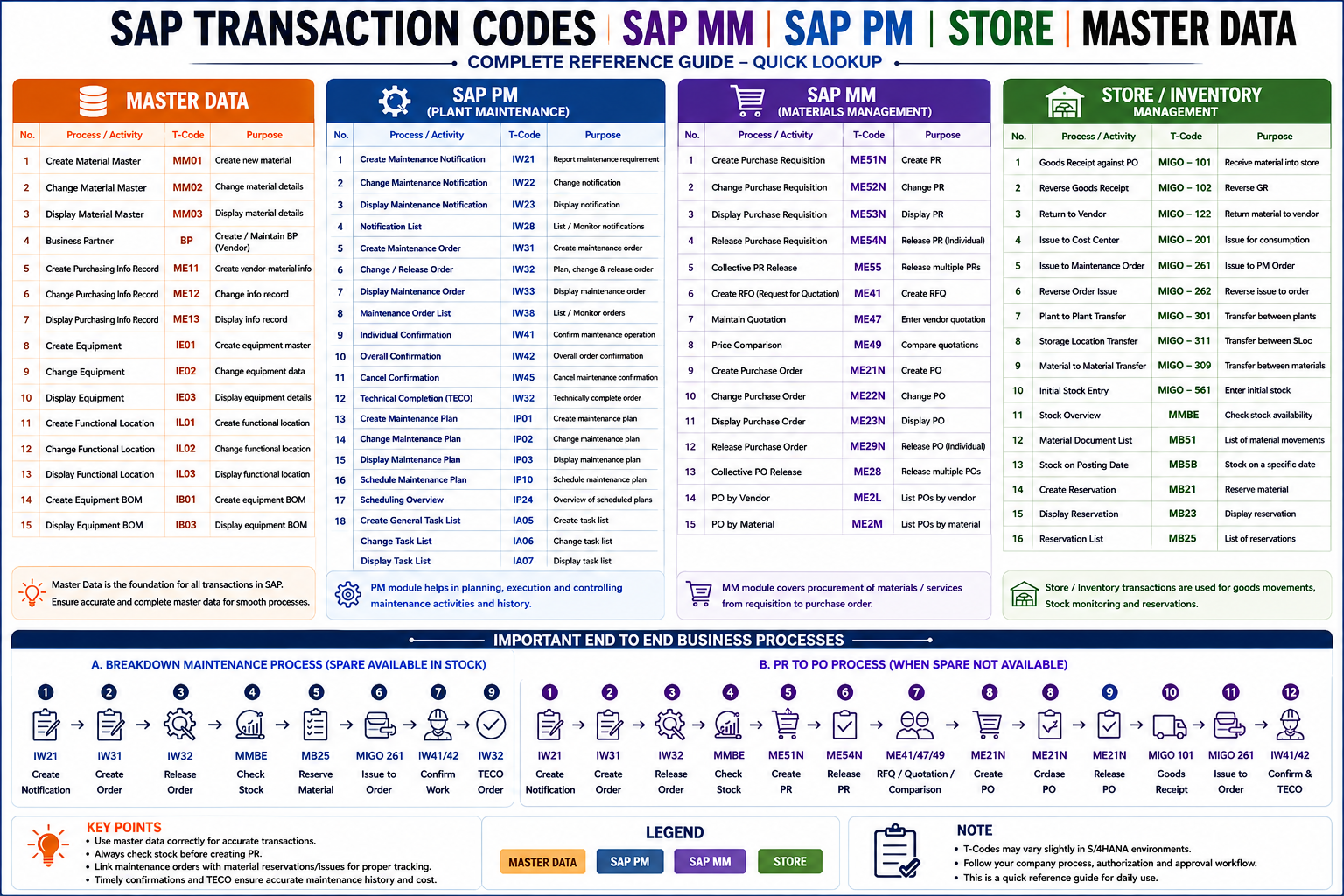
| Step | Process | SAP T-Code |
| 1 | Create RFQ | ME41 |
| 2 | Change RFQ | ME42 |
| 3 | Display RFQ | ME43 |
| 4 | Maintain Quotation | ME47 |
| 5 | Display Quotation | ME48 |
| 6 | Compare Quotations | ME49 |
| 7 | Create Purchase Order | ME21N |
What is Quotation Selection?
Quotation selection means choosing the best vendor quotation after evaluating.
- Price
- Delivery time
- Quality
- Payment terms
- Vendor performance
The selected quotation is later used to create a purchase order.
What is quotation rejection?
Quotation rejection means marking a quotation as rejected so it cannot be considered for procurement processing.

Reasons for rejection may include:
- High pricing
- Delayed delivery
- Poor vendor terms
- Expired quotation
- Vendor not approved
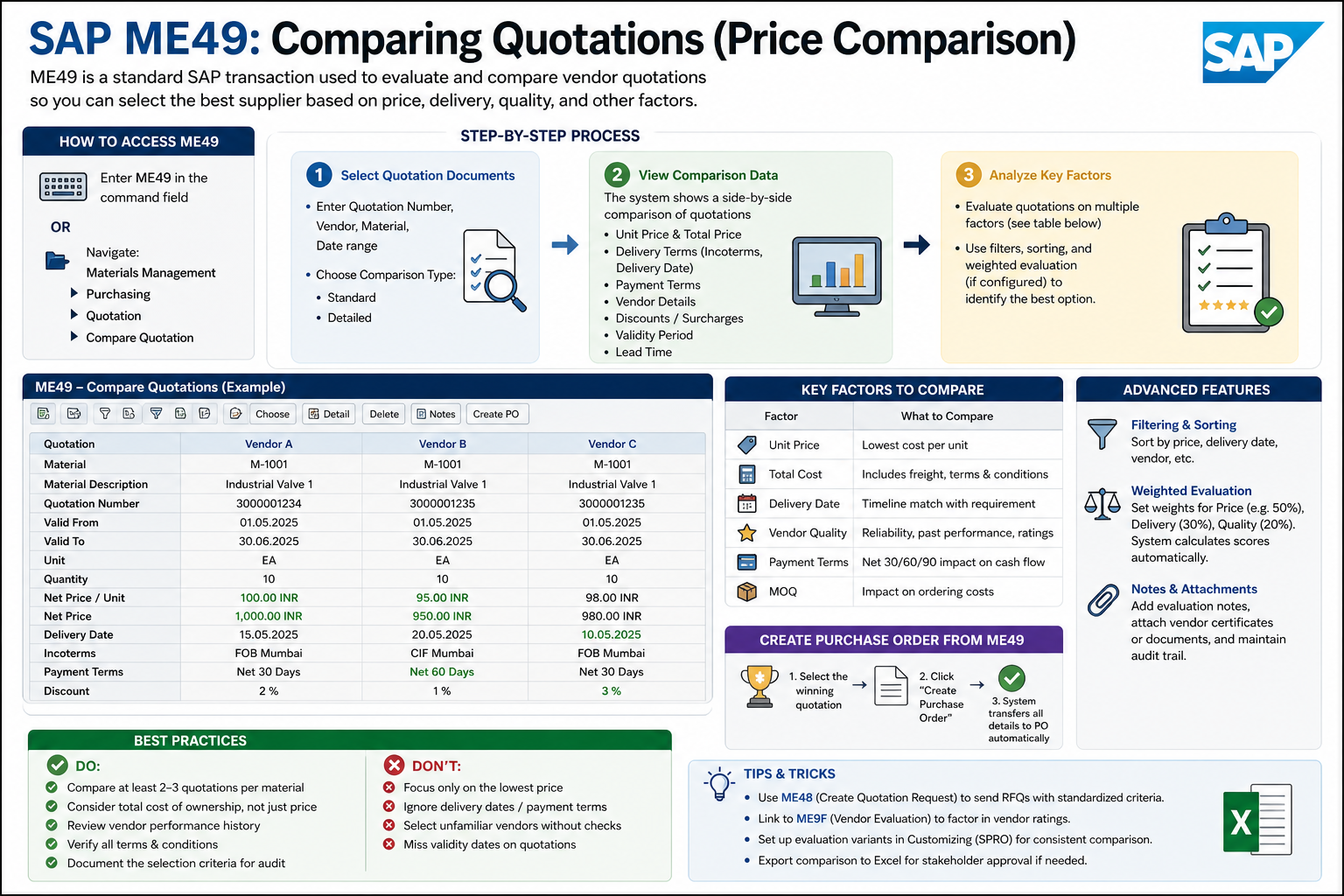
Also Read: SAP ME49: Comparing Quotations (Price Comparison)
How to Create an RFQ (Request for Quotation)
🚀 Enroll in Live SAP Courses:
🎓 SAP MM (Material Management)
🔗 https://trk.udemy.com/gRoZv2
🎓 SAP PM (Plant Maintenance)
🔗 https://trk.udemy.com/PzaLjX
🎓 SAP SD (Sales and Distribution)
🔗 https://trk.udemy.com/B5KWXx
Step-by-Step Process to Compare Quotations
Step 1: Open Transaction ME49
Enter transaction code.
ME49ME49 is used for quotation price comparison.
Step 2: Enter Selection Criteria
Provide details such as:


- RFQ Number
- Purchasing Organization
- Purchasing Group
- Vendor Number (optional)
Then click Execute.
Step 3: Review Vendor Quotations
SAP displays all vendor quotations side by side for comparison.
You can compare:
- Net price
- Effective price
- Delivery schedule
- Payment terms
- Freight conditions
- Discounts
Example of Quotation Comparison
| Vendor | Price | Delivery | Payment Terms |
|---|---|---|---|
| Vendor A | ₹1000 | 15 Days | 30 Days |
| Vendor B | ₹950 | 25 Days | 15 Days |
| Vendor C | ₹980 | 7 Days | 30 Days |
Although Vendor B offers the lowest price, Vendor C may be selected because of faster delivery.
How to Select a Quotation
After comparison:
- Analyze vendor conditions
- Select the most suitable quotation
- Use the selected quotation for Purchase Order creation
SAP does not automatically finalize selection unless configured with advanced sourcing tools. Buyers manually decide the best quotation.
Step-by-Step Process to Reject a Quotation
Step 1: Open Transaction ME47
Enter transaction:
ME47ME47 is used to maintain quotations.
Step 2: Enter Quotation Details
Input:
- RFQ Number
- Vendor Number
Press Enter.
Step 3: Select the Item
Choose the quotation item you want to reject.
Step 4: Set Rejection Indicator
In item details:
- Mark the Rejection Indicator
- Save the quotation
The quotation is now rejected.
Rejecting Individual Quotation Items
SAP allows rejection at item level.
Example.
| Item | Material | Status |
| 10 | Steel Plate | Accepted |
| 20 | Lubricant | Rejected |
This helps when only certain materials are unsuitable.
FAQs
Which SAP transaction is used for quotation comparison?
ME49 is used for quotation comparison.
Which transaction is used to maintain quotations?
ME47 is used to maintain vendor quotations.
Can individual quotation items be rejected?
Yes, SAP allows rejection at item level.