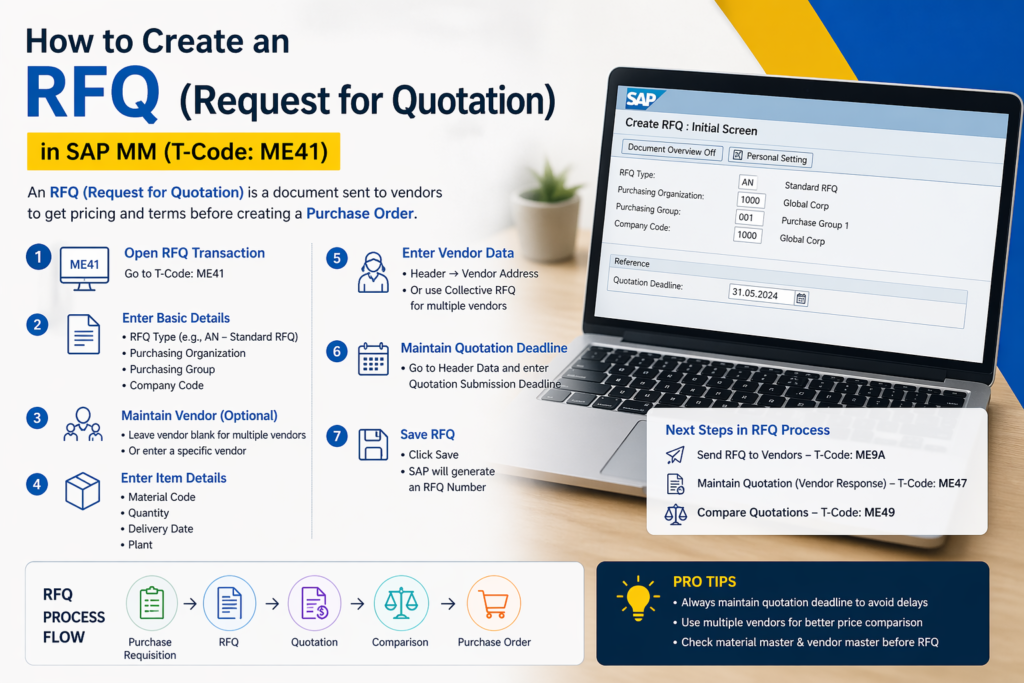
How to Create an RFQ (Request for Quotation): A Quotation is a formal document from a supplier stating the price, terms, and conditions for supplying goods or services. It is a critical step between raising a Purchase Requisition and issuing a Purchase Order.
Types of Quotations
| Type | Full Form | Used When |
|---|---|---|
| RFQ | Request for Quotation | Known items, fixed specs, price comparison needed |
| RFP | Request for Proposal | Complex requirements, need supplier’s solution |
| RFI | Request for Information | Market research, early exploration stage |
| RFT | Request for Tender | Government/large contracts, formal bidding |
Quotation Process Flow
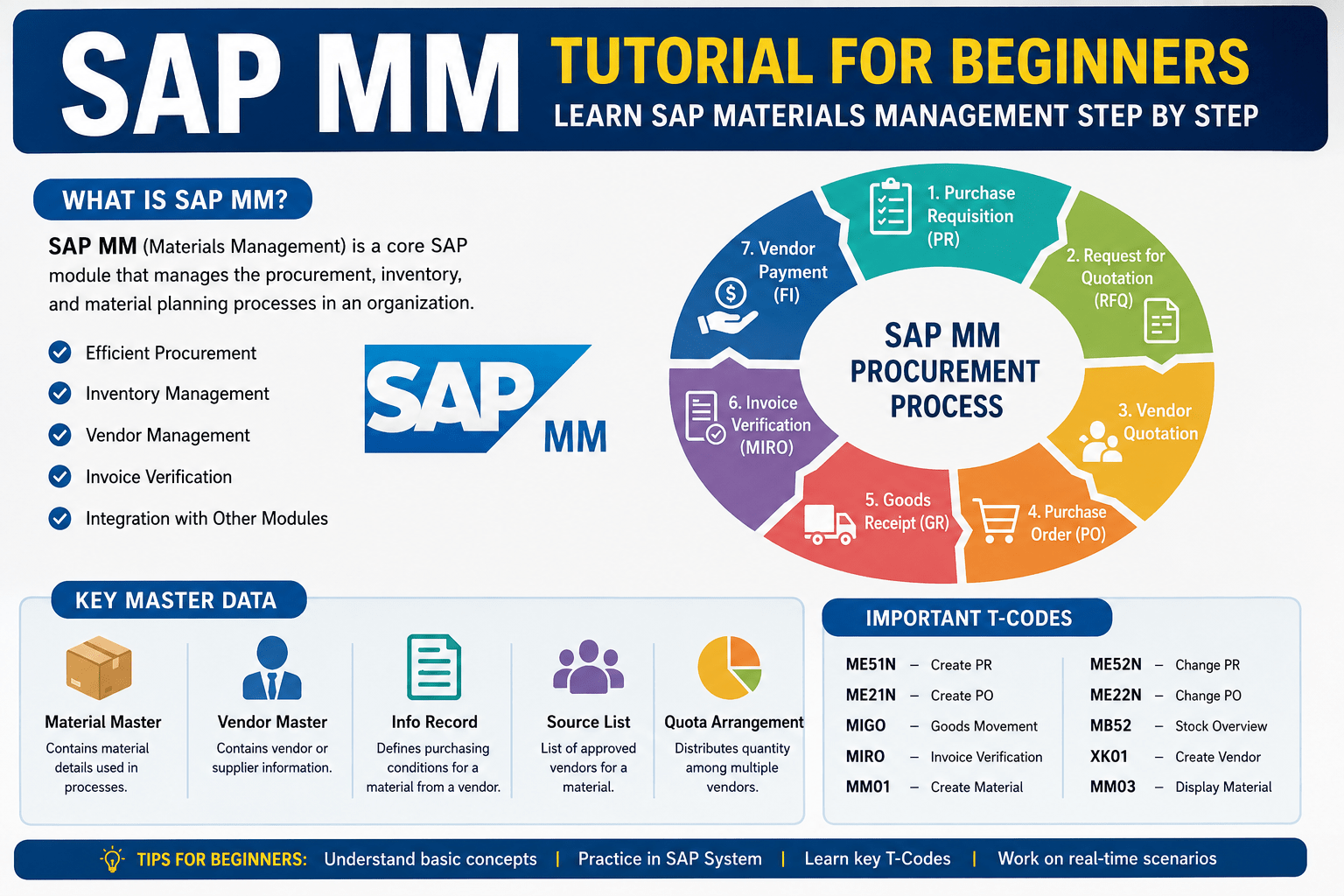
PR Approved → RFQ Sent to Suppliers → Quotations Received → Comparison → PO Issued
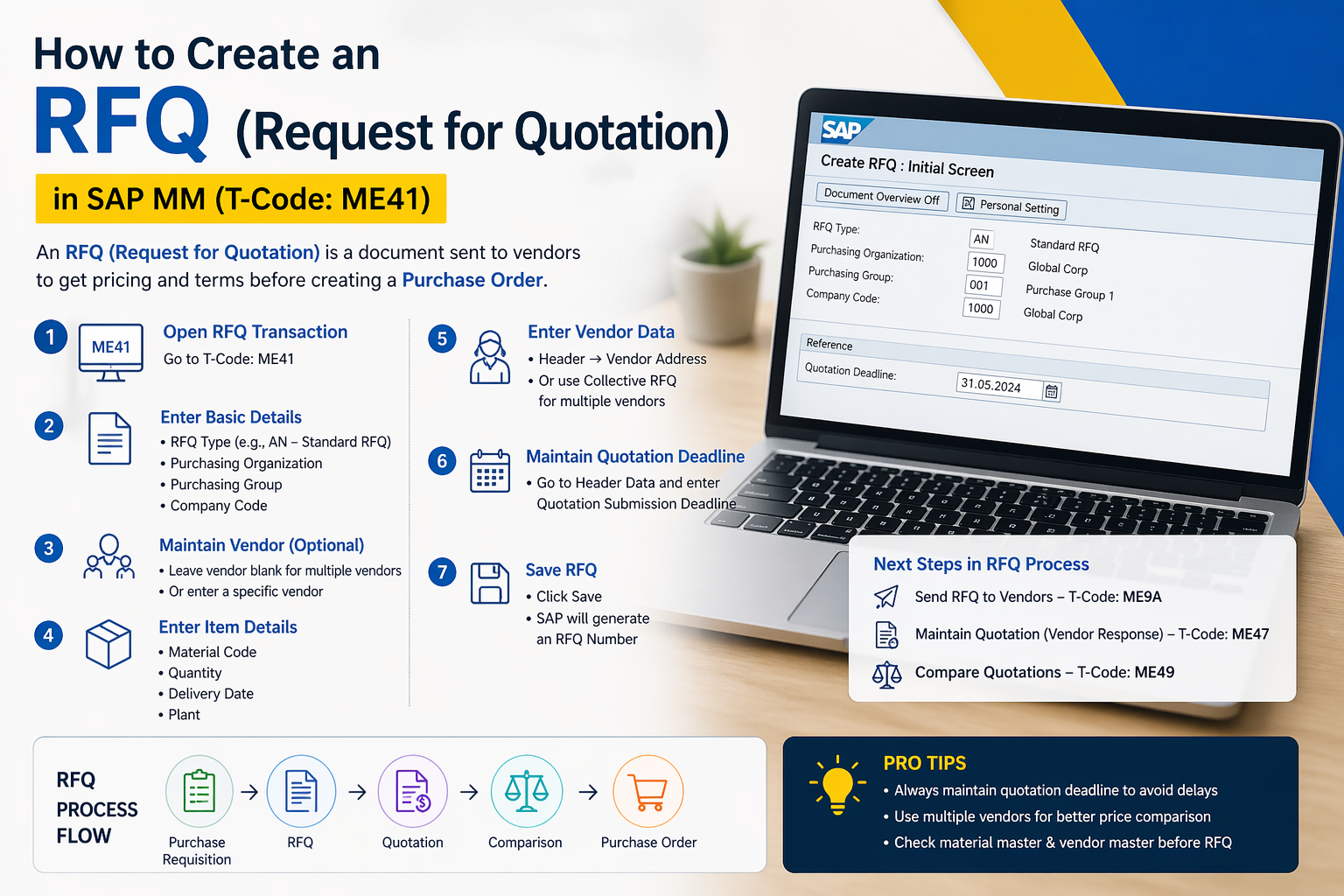
How to Create an RFQ (Request for Quotation)
Step-by-Step Process
Step 1 — Identify the Need
- Refer to the approved Purchase Requisition
- Confirm item specs, quantity, and delivery requirements
Step 2 — Shortlist Suppliers
- Select 3–5 qualified vendors from your approved supplier list
- New vendors must be registered/validated first
Step 3 — Prepare the RFQ Document Include the following in your RFQ:
- Company name & contact details
- RFQ number & issue date
- Response deadline
- Item description, specifications, quantity, unit of measure
- Required delivery date & location
- Payment terms expected
- Terms & conditions
- Instructions for submitting quotation
Step 4 — Send RFQ to Suppliers
- Send via email, supplier portal, or procurement system
- Set a clear deadline (typically 3–14 days)
Step 5 — Receive & Evaluate Quotations
- Collect all responses before the deadline
- Compare on: price, delivery time, quality, warranty, payment terms
Step 6 — Select Best Quotation
- Use a Quotation Comparison Sheet (also called Comparative Statement)
- Get approval if required by policy
Step 7 — Issue Purchase Order
- Convert the selected quotation into a PO
- Notify unsuccessful suppliers (good practice)
Also Reads:
🚀 Enroll in Live SAP Courses:
🎓 SAP MM (Material Management)
🎓 SAP SD (Sales and Distribution)
SAP MM Procurement Process Explained: PR → RFQ → PO (Beginner Friendly)
RFQ in ERP Systems
| System | Navigation |
|---|---|
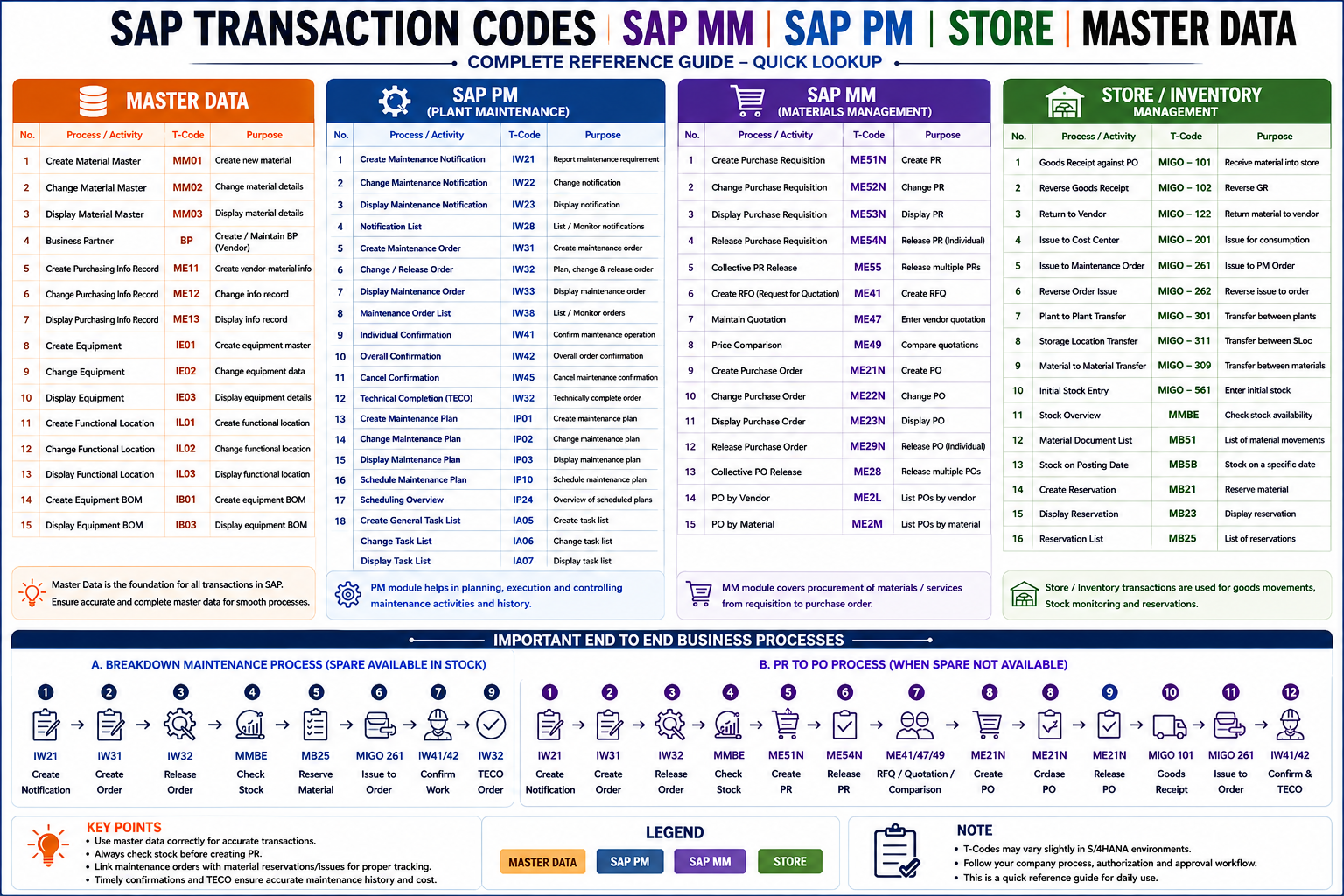
| SAP | T-code ME41 → Create RFQ → Assign vendors → ME47 to enter quotations → ME49 to compare |
| Oracle | Procurement → Sourcing → Negotiations → Create RFQ |
| D365 | Procurement → Request for Quotations → New |
| Odoo | Purchase → Orders → Requests for Quotation → New |
RFQ vs. Quotation The Difference
| RFQ | Quotation | |
|---|---|---|
| Sent by | Buyer (you) | Supplier |
| Purpose | Asking for price | Providing price |
| Direction | Outgoing | Incoming |
| Binding? | No | Sometimes (depends on terms) |
Quotation Comparison Sheet (Sample)
| Item | Supplier A | Supplier B | Supplier C |
|---|---|---|---|
| Unit Price | ₹500 | ₹480 | ₹510 |
| Quantity | 100 | 100 | 100 |
| Total Cost | ₹50,000 | ₹48,000 | ₹51,000 |
| Delivery Days | 7 days | 10 days | 5 days |
| Warranty | 1 year | 6 months | 1 year |
| Payment Terms | Net 30 | Net 15 | Net 45 |
| Recommended | ✅ Best Price |
How to Create an RFQ—Download PDF
FAQ’s
What is an RFQ in procurement?
An RFQ (Request for Quotation) is a document sent by a buyer to suppliers to request pricing, delivery terms, and conditions for specific goods or services.
What is the purpose of an RFQ?
The main purpose of an RFQ is to compare supplier prices and select the best vendor based on cost, quality, and delivery terms before creating a Purchase Order.
What is the difference between RFQ and Quotation?
An RFQ is sent by the buyer to request pricing, while a quotation is sent by the supplier in response with price and terms.
What is the T-code for RFQ in SAP MM?
The T-code to create an RFQ in SAP MM is ME41. You can use ME47 to maintain quotations and ME49 to compare them.
What is the difference between RFQ, RFP, and RFI?
RFQ: Used when requirements are clear and price comparison is needed
RFP: Used for complex requirements where solutions are needed
RFI: Used for gathering general market information
Can RFQ be created without a Purchase Requisition?
Yes, but in most organizations, an approved Purchase Requisition is required before creating an RFQ.