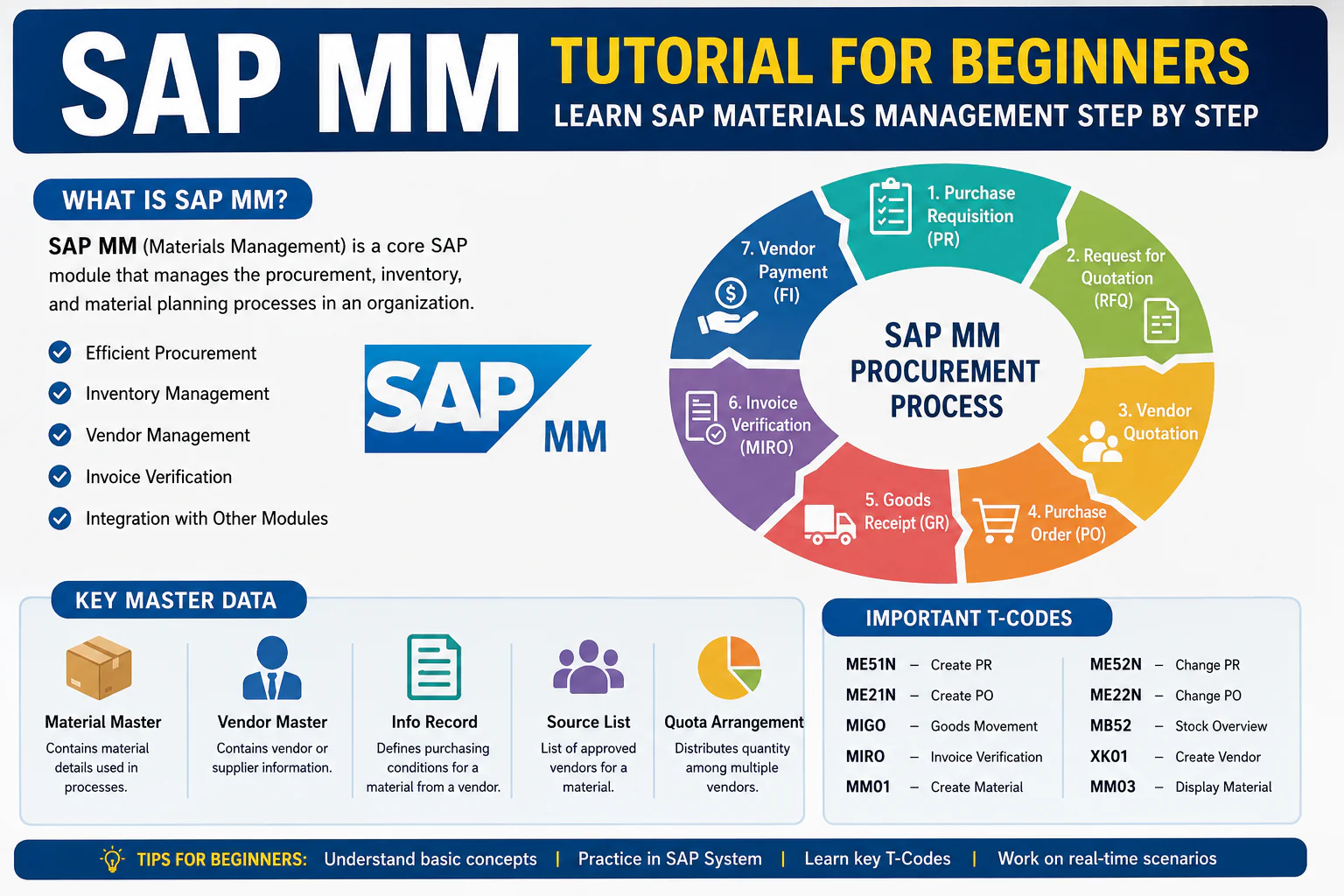
The SAP MM (Materials Management) module plays a critical role in managing procurement and inventory functions in any organization. Whether it’s purchasing raw materials, managing stock, or processing invoices, everything in SAP MM depends heavily on Master Data. If your master data is accurate, your business processes run smoothly. If not, errors will occur at every stage—from purchase orders to invoice verification.

What is Master Data in SAP MM?
Master Data is the core data that remains stable over time and is reused across multiple business transactions. Unlike transactional data (like Purchase Orders or Goods Receipts), master data is created once and used repeatedly.
Types of SAP MM Master Data
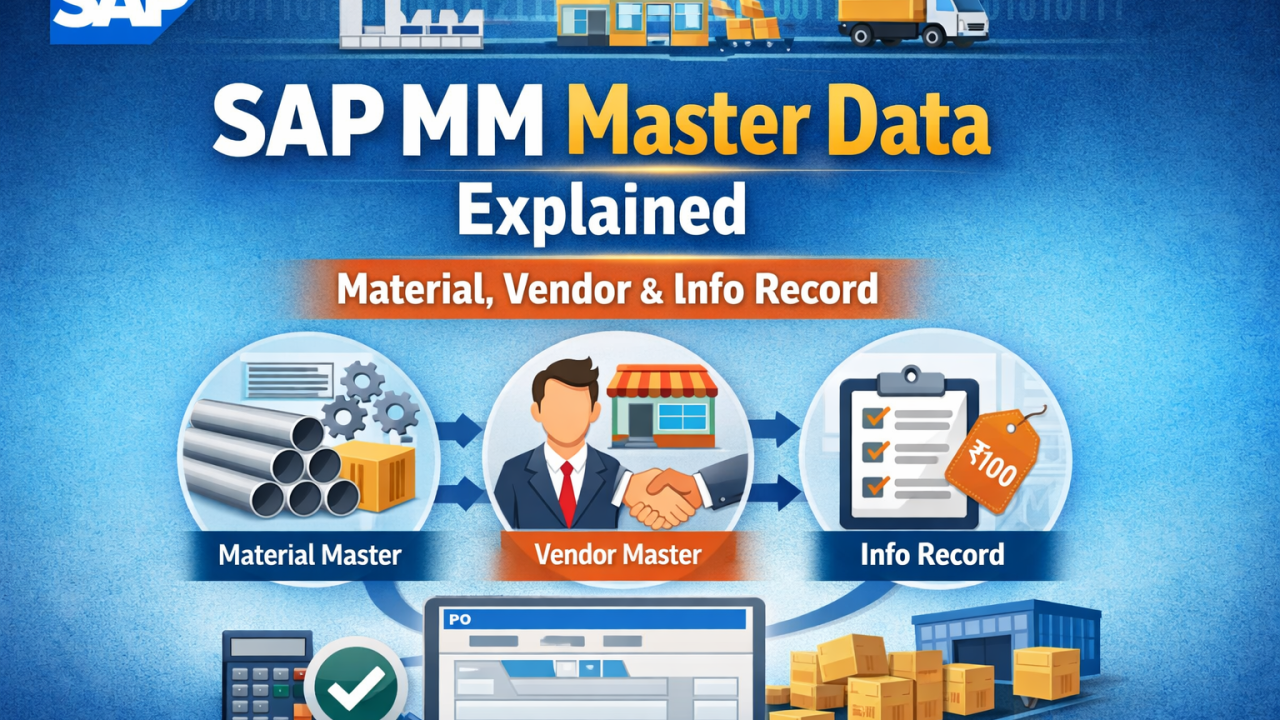
In SAP MM, the three most important master data objects are:
- Material Master
- Vendor Master
- Purchasing Info Record
These three form the backbone of the Procure-to-Pay (P2P) Cycle.
Material Master (Detailed Explanation)
What is Material Master?
Material Master contains complete information about a material or product that a company procures, stores, or sells.
Every material in SAP must have a unique Material Code (Material Number).
Views in Material Master
Material Master is divided into multiple views, each serving a specific function:
Basic Data View
- Material description
- Unit of measure
- Material group
Purchasing View
- Purchasing group
- Order unit
- Over/under delivery tolerance
MRP View
- MRP type
- Reorder point
- Lot size
Accounting View
- Valuation class
- Standard price / Moving average price
Storage View
- Storage conditions
- Warehouse data
Important T-Codes
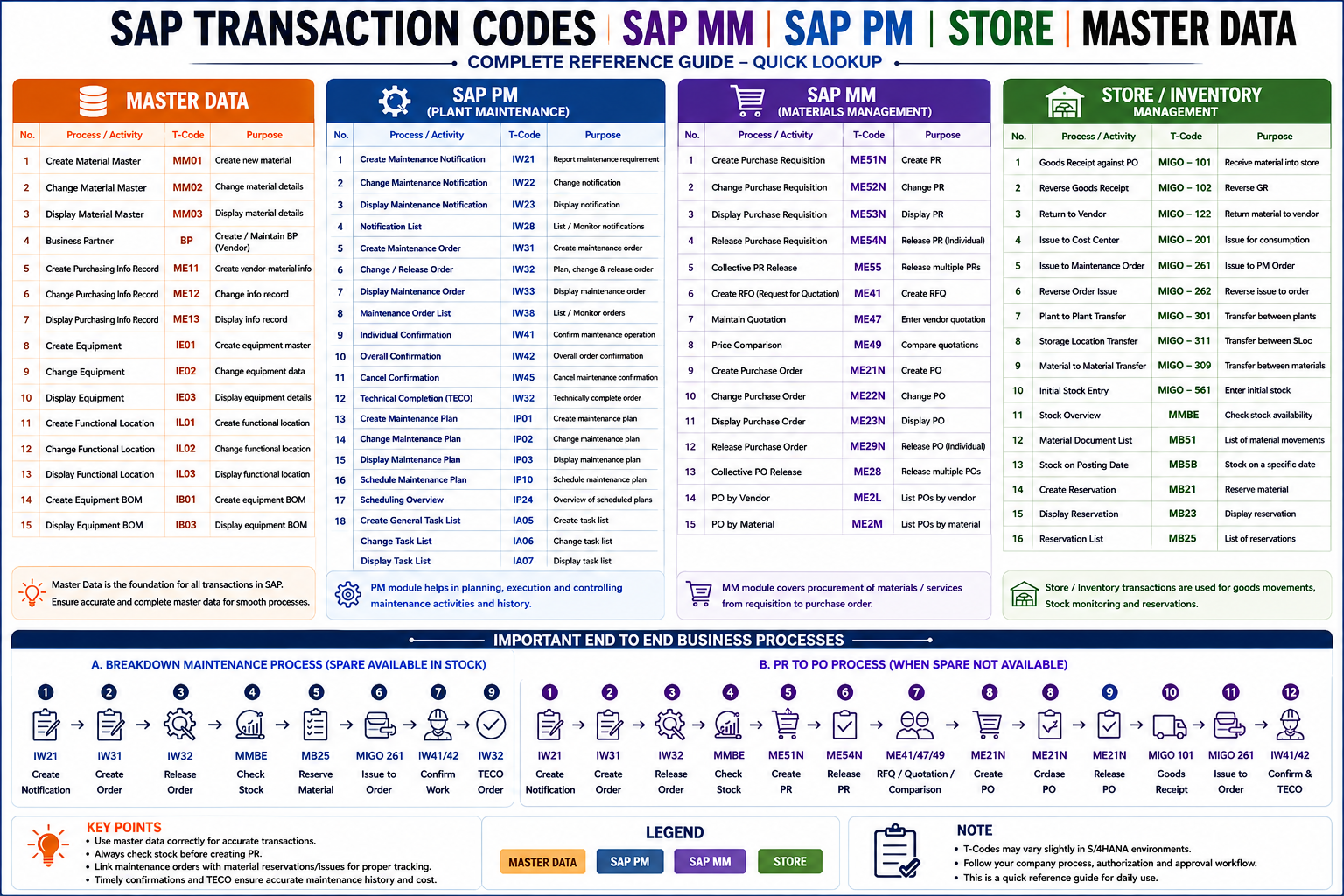
- MM01 – Create Material
- MM02 – Change Material
- MM03 – Display Material
Real-Time Example
A manufacturing company uses Raw Material: Iron Sheet
- Unit: KG
- Price: ₹75/kg
- Reorder point: 500 KG
👉 This data is stored in the Material Master and used automatically during procurement.

2. Vendor Master (Detailed Explanation)
📌 What is Vendor Master?
Vendor Master contains all the information about suppliers who provide goods or services.
It is essential for procurement, invoice processing, and payments.
Vendor Master Structure
Vendor Master is divided into three main sections:

General Data
- Vendor name
- Address
- Contact details
Company Code Data
- Payment terms
- Reconciliation account
- Tax information
Purchasing Organization Data
- Order currency
- Incoterms
- Partner functions
Important T-Codes
- XK01 – Create Vendor
- XK02 – Change Vendor
- XK03 – Display Vendor
Real-Time Example
Vendor: XYZ Steel Ltd.
- Payment Terms: 30 Days
- Location: Mumbai
- Currency: INR
👉 This information is used during PO creation and invoice verification.
3. Purchasing Info Record (Detailed Explanation)
What is Info Record?
The Purchasing Info Record connects: 👉 Material + Vendor
It stores vendor-specific purchasing conditions and helps automate procurement.
Types of Info Records
- Standard Info Record – Normal procurement
- Subcontracting – Vendor performs processing
- Pipeline – Continuous supply (water, electricity)
- Consignment – Vendor owns stock until used
Key Fields in Info Record
- Price conditions
- Delivery time
- Minimum order quantity
- Vendor material number
- Planned delivery days
Important T-Codes
- ME11 – Create Info Record
- ME12 – Change Info Record
- ME13 – Display Info Record
Real-Time Example
Material: Iron Sheet
VendorPriceDeliveryVendor A₹75/kg4 DaysVendor B₹72/kg6 Days
👉 SAP automatically suggests the best vendor during PO creation.

Integration of Master Data in P2P Cycle
Let’s understand how all three work together:
Step 1: Material Master
Defines what needs to be purchased
Step 2: Vendor Master
Defines from whom to purchase
Step 3: Info Record
Defines conditions of purchase
Process Flow
- Purchase Requisition (PR)
- Request for Quotation (RFQ)
- Purchase Order (PO)
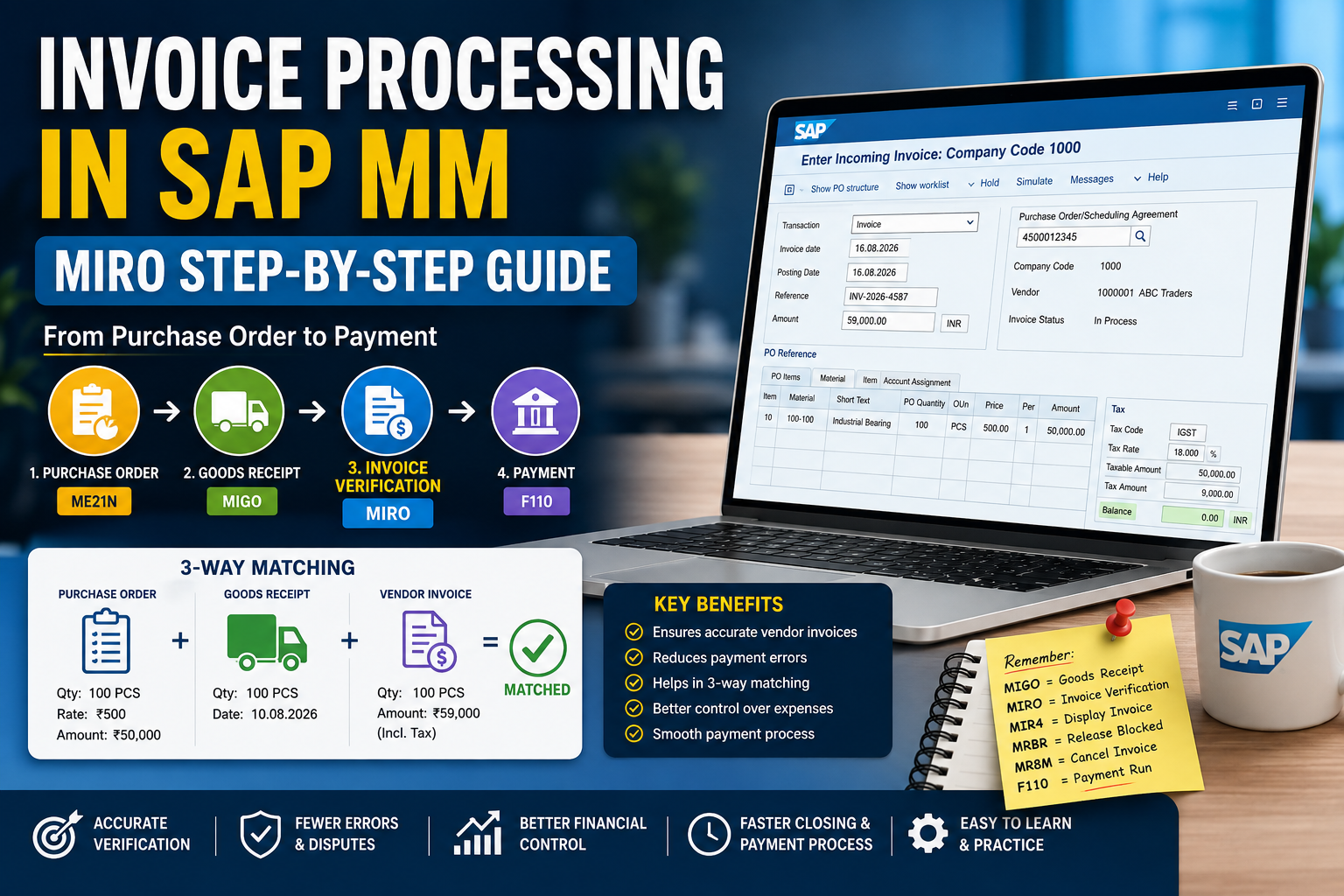
- Goods Receipt (GR)
- Invoice Verification
👉 All these steps depend on accurate master data
Common Errors Due to Wrong Master Data
- ❌ PO creation failed due to missing vendor
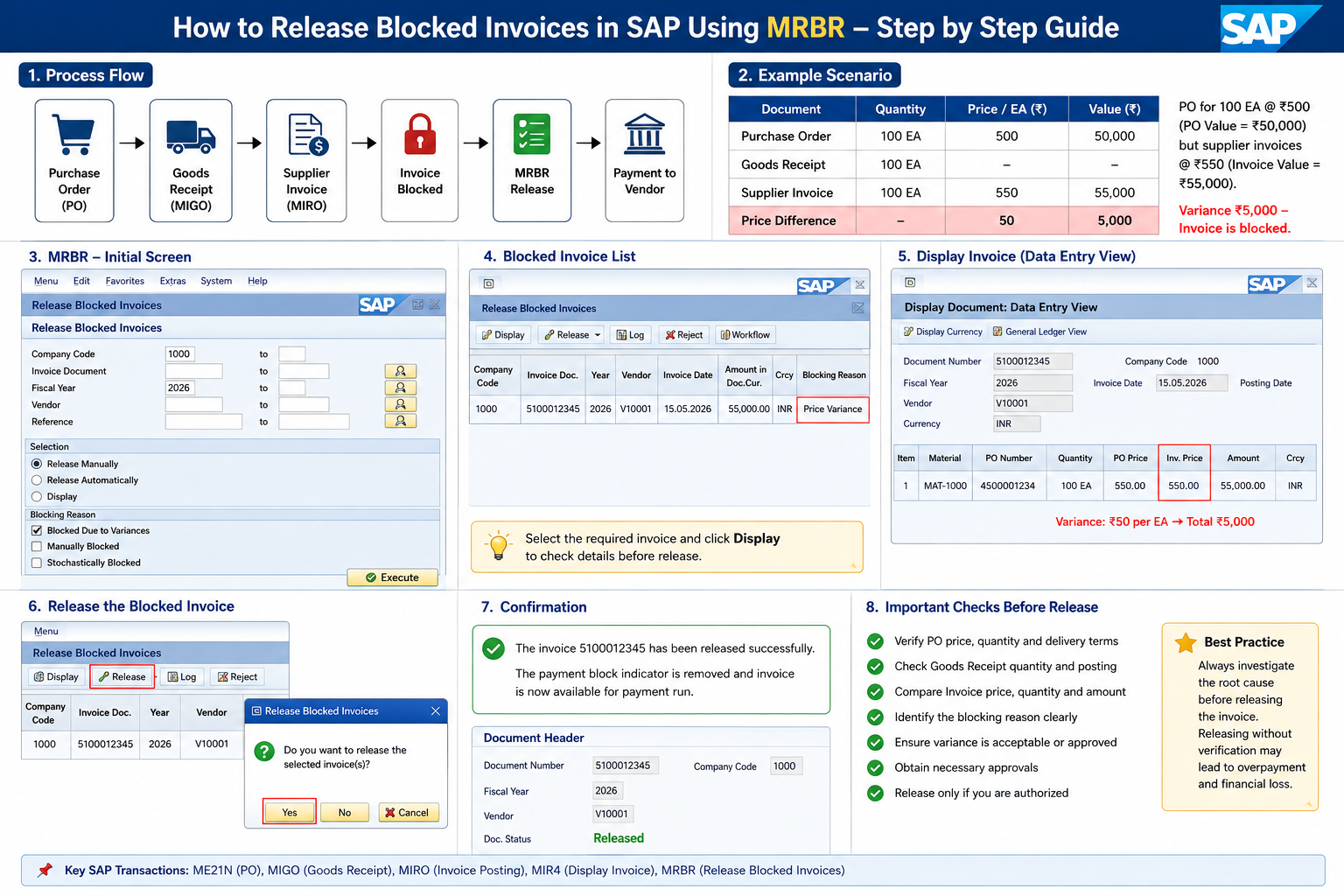
- ❌ Invoice blocked due to price mismatch
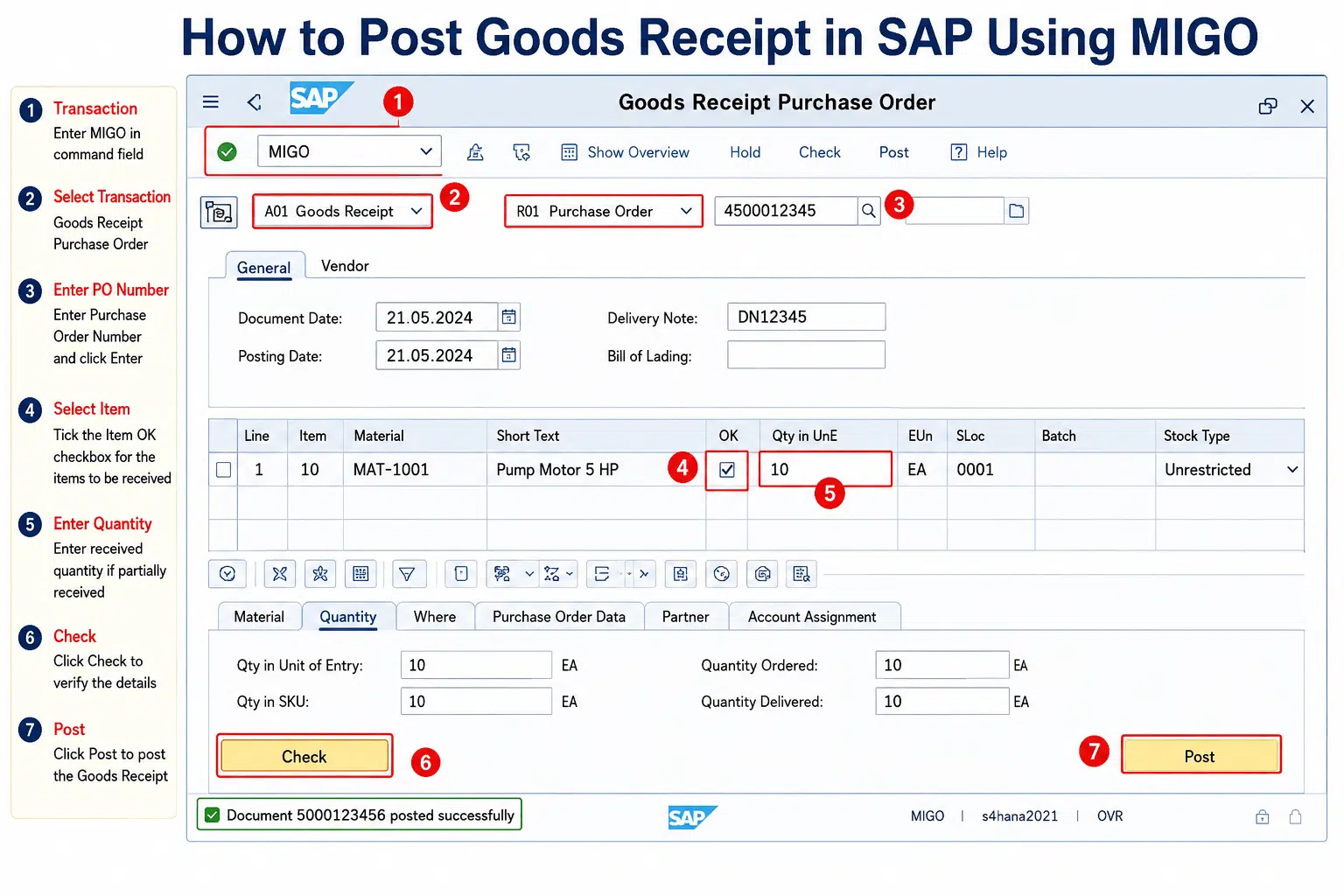
- ❌ GR not posted due to incorrect material data
- ❌ Account determination errors
Best Practices for SAP MM Master Data
- ✅ Maintain complete and accurate data
- ✅ Use standard naming conventions
- ✅ Regularly audit master data
- ✅ Avoid duplicate vendor/material entries
- ✅ Keep pricing updated in Info Records
Benefits of Proper Master Data Management
- ✔️ Faster procurement process
- ✔️ Reduced manual work
- ✔️ Improved data accuracy
- ✔️ Better reporting and analytics
- ✔️ Smooth integration with FI & SD modules