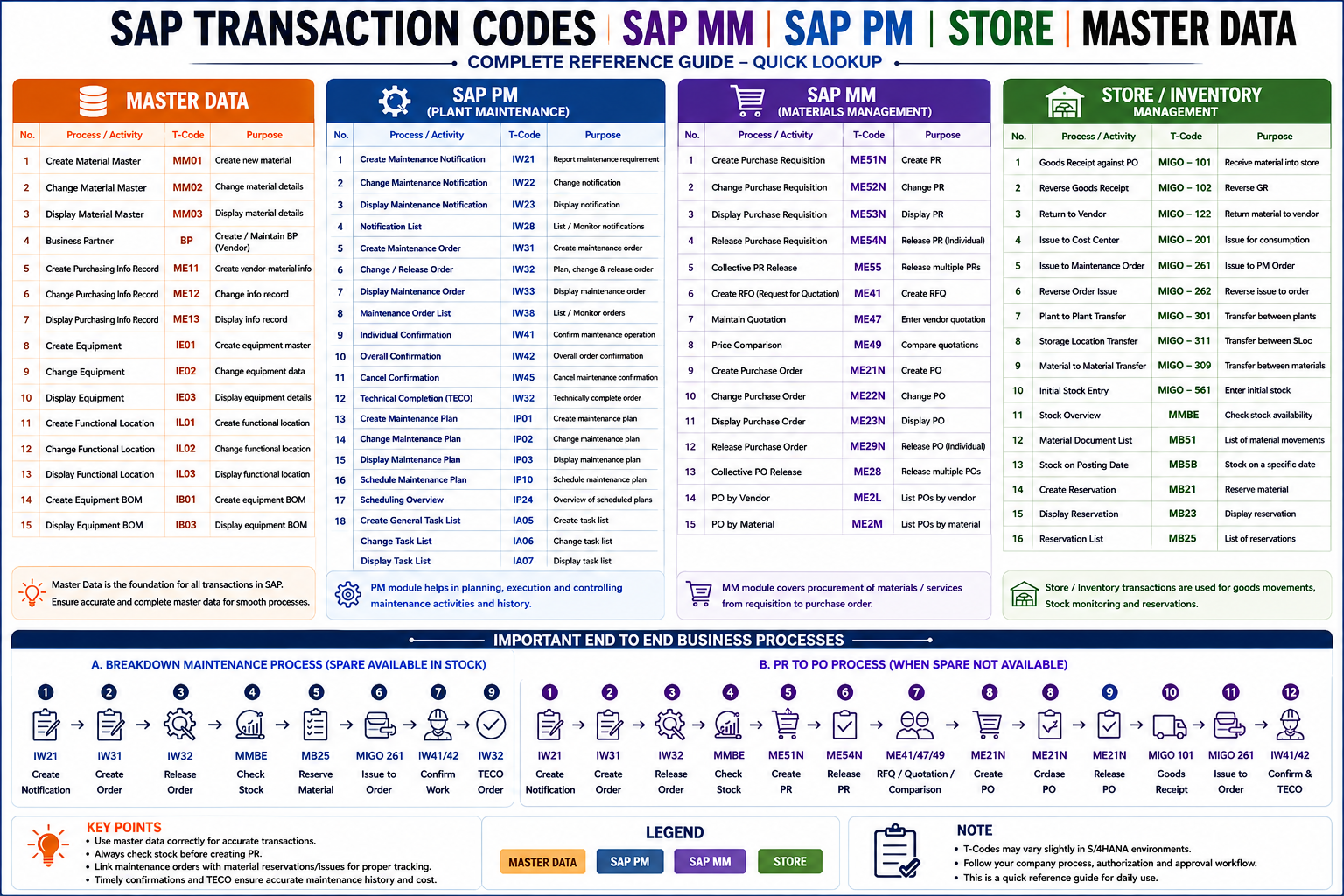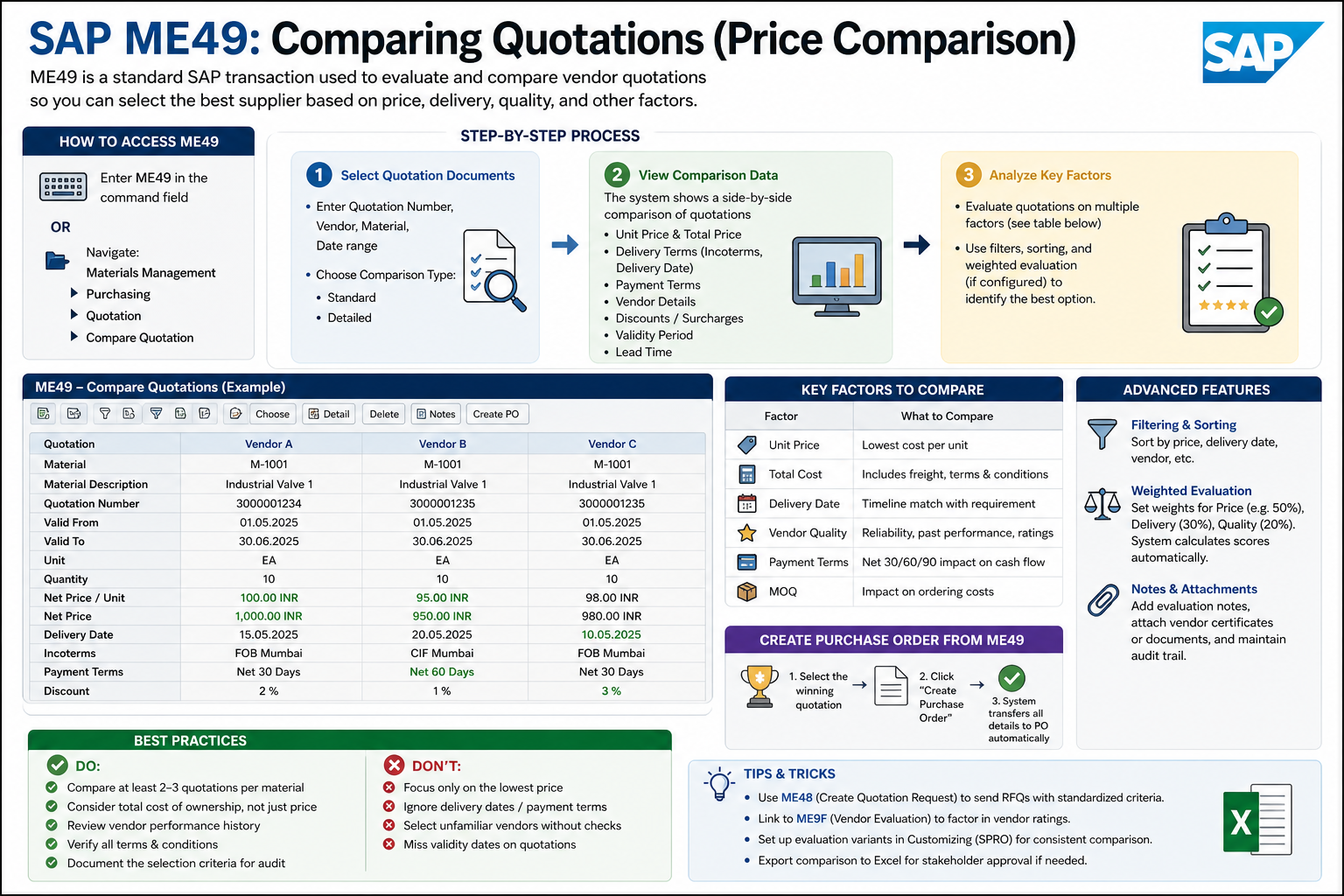
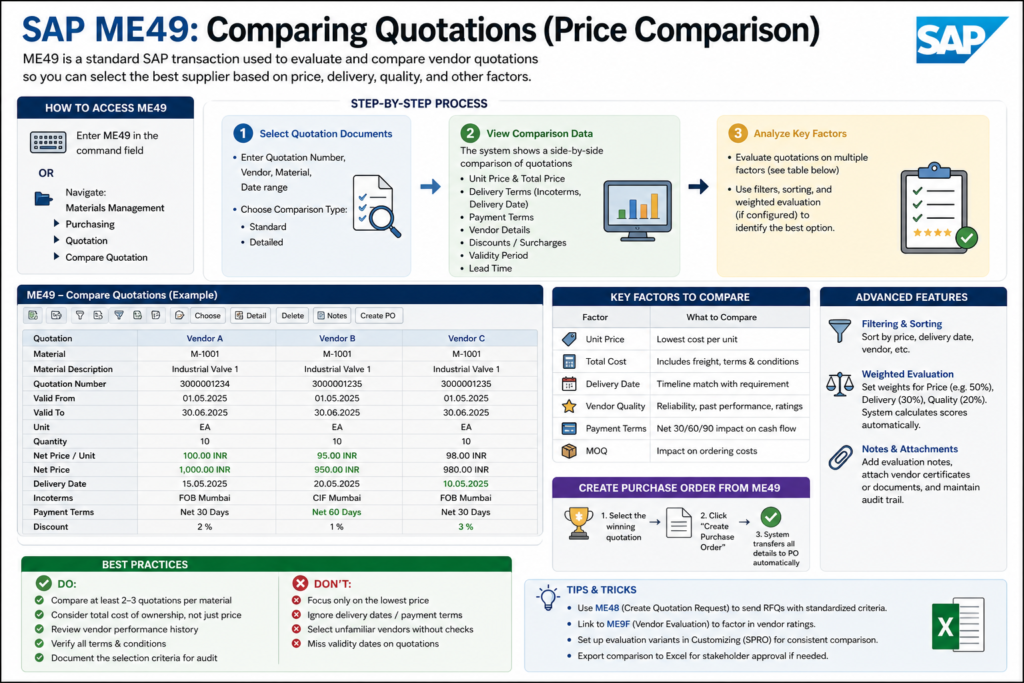
SAP ME49: Comparing Quotations (Price Comparison): ME49 is the standard SAP transaction for evaluating and comparing vendor quotations. Here’s how to use it effectively.
Access the Transaction
- Enter ME49 in the command field (or navigate: Materials Management > Purchasing > Quotation > Compare Quotation)
- Select your comparison scope (single or multiple quotations)
Basic Steps to Compare Quotations
1. Select Your Documents
- Enter Quotation Number or use selection criteria (vendor, material, date range)
- Specify Material Number (optional, to narrow comparison)
- Choose Comparison Type (standard, detailed, etc.)
2. View Comparison Data
The system displays side-by-side comparison with columns for:
- Price (unit price, total price)
- Delivery Terms (incoterms, delivery date)
- Payment Terms
- Vendor information
- Discounts/Surcharges
- Validity Period
- Lead Time
3. Analyze Key Factors
| Factor | What to Compare |
|---|---|
| Unit Price | Lowest cost per unit |
| Total Cost | Including freight, terms, conditions |
| Delivery Date | Timeline match with requirement |
| Quality/Rating | Vendor reliability, past performance |
| Payment Terms | Net 30/60/90 impact on cash flow |
| Minimum Order Qty | Impact on ordering costs |
Advanced Comparison Features
Filtering & Sorting
- Click column headers to sort (ascending/descending)
- Use filters to focus on specific vendors or price ranges
- Hide/show columns as needed
Evaluation Criteria Weighting (if configured)
- Price weight (e.g., 50%)
- Delivery weight (e.g., 30%)
- Quality weight (e.g., 20%)
- System calculates weighted scores automatically
Notes & Attachments
- Add evaluation notes for each quotation
- Attach vendor certifications or documents
- Track decision rationale
Creating a Purchase Order from ME49
- Select the Winning Quotation
- Click Purchase Order (or icon to create PO)
- System automatically transfers:
- Item details
- Agreed prices
- Delivery terms
- Payment terms
Best Practices
✅ Do:
- Compare at least 2-3 quotations per material
- Consider total cost of ownership, not just unit price
- Review vendor performance history
- Verify all terms and conditions match your requirements
- Document the selection criteria for audit purposes
❌ Avoid:
- Focusing only on lowest price
- Ignoring delivery dates/payment terms
- Selecting unfamiliar vendors without reference checks
- Missing validity dates on quotations
🚀 Enroll in Live SAP Courses:
🎓 SAP MM (Material Management)
🎓 SAP SD (Sales and Distribution)
How to Create an RFQ (Request for Quotation)
Tips & Tricks
- Use ME48 (Create Quotation Request) to send RFQs with standardized criteria
- Link to ME9F (Vendor Evaluation) to factor in vendor ratings
- Set up evaluation variants in Customizing (SPRO) for consistent comparison criteria
- Export comparison to Excel if needed for stakeholder approval