How to Release Blocked Invoices in SAP Using MRBR – Complete Guide with Example: In SAP, a supplier invoice can be posted successfully but still remain blocked for payment. This usually happens when SAP detects a difference between the Purchase Order, Goods Receipt, and supplier invoice.
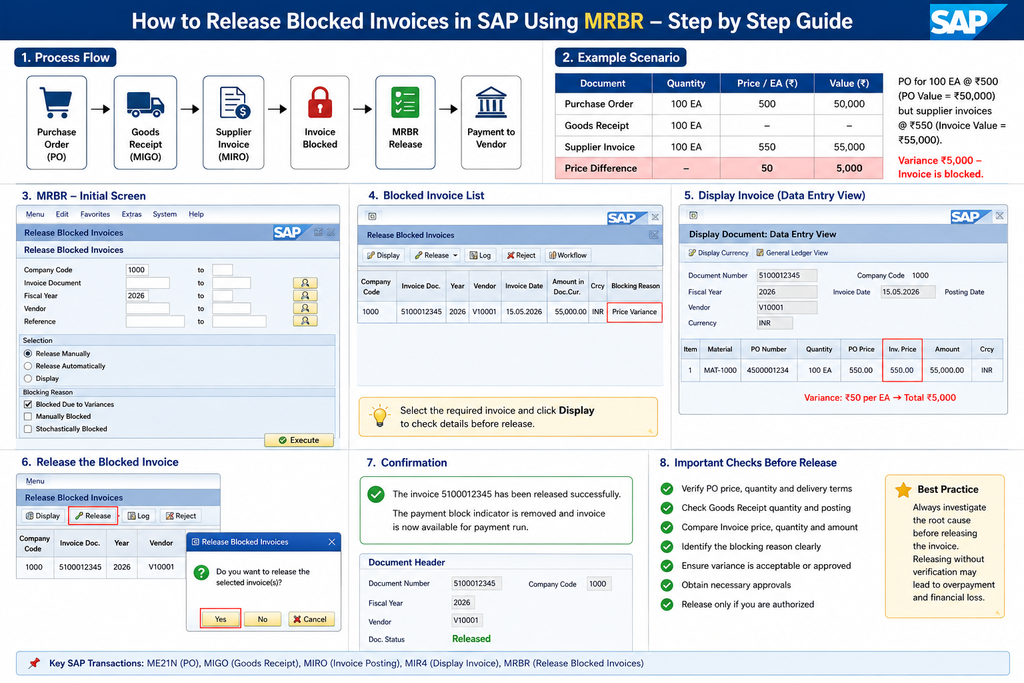
To process these invoices, SAP provides the transaction MRBR – Release Blocked Invoices.
What Is a Blocked Invoice in SAP?
A blocked invoice is an invoice that has been posted in SAP but cannot proceed for payment until the blocking reason is reviewed and resolved.
Common reasons include.
- Price variance
- Quantity variance
- Goods Receipt mismatch
- Manual payment block
- Stochastic block
- Tolerance limit exceeded
A simple process is:
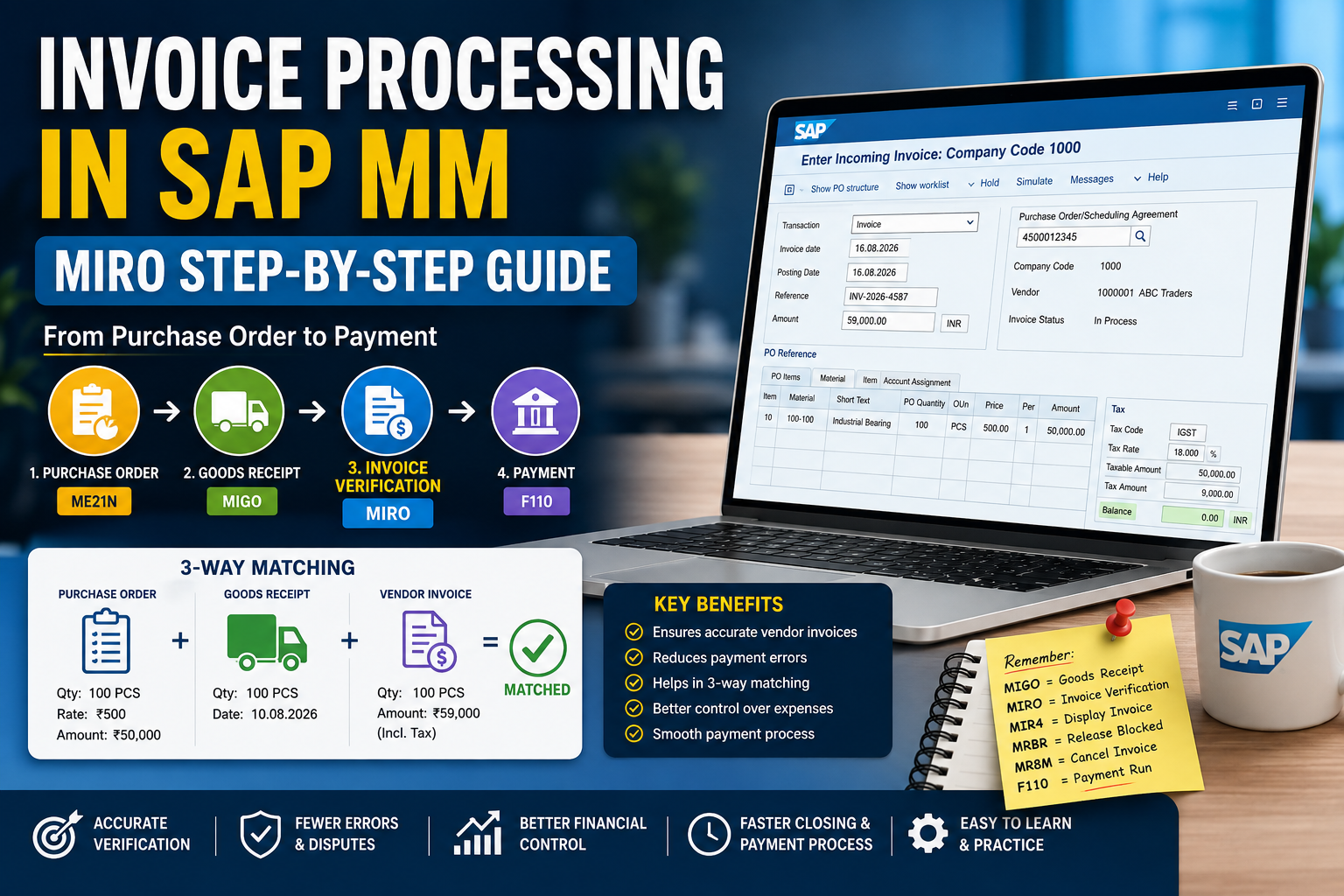
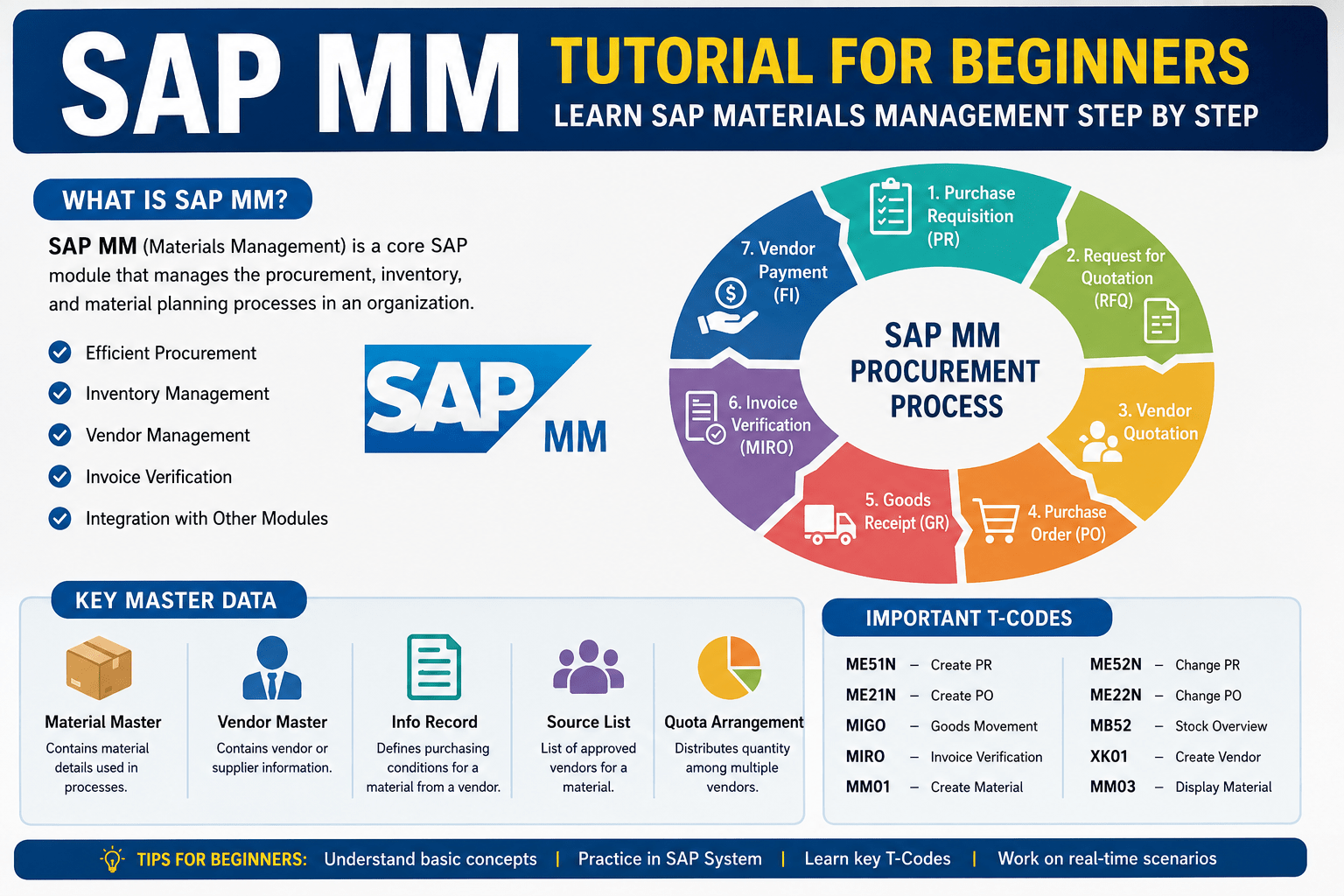
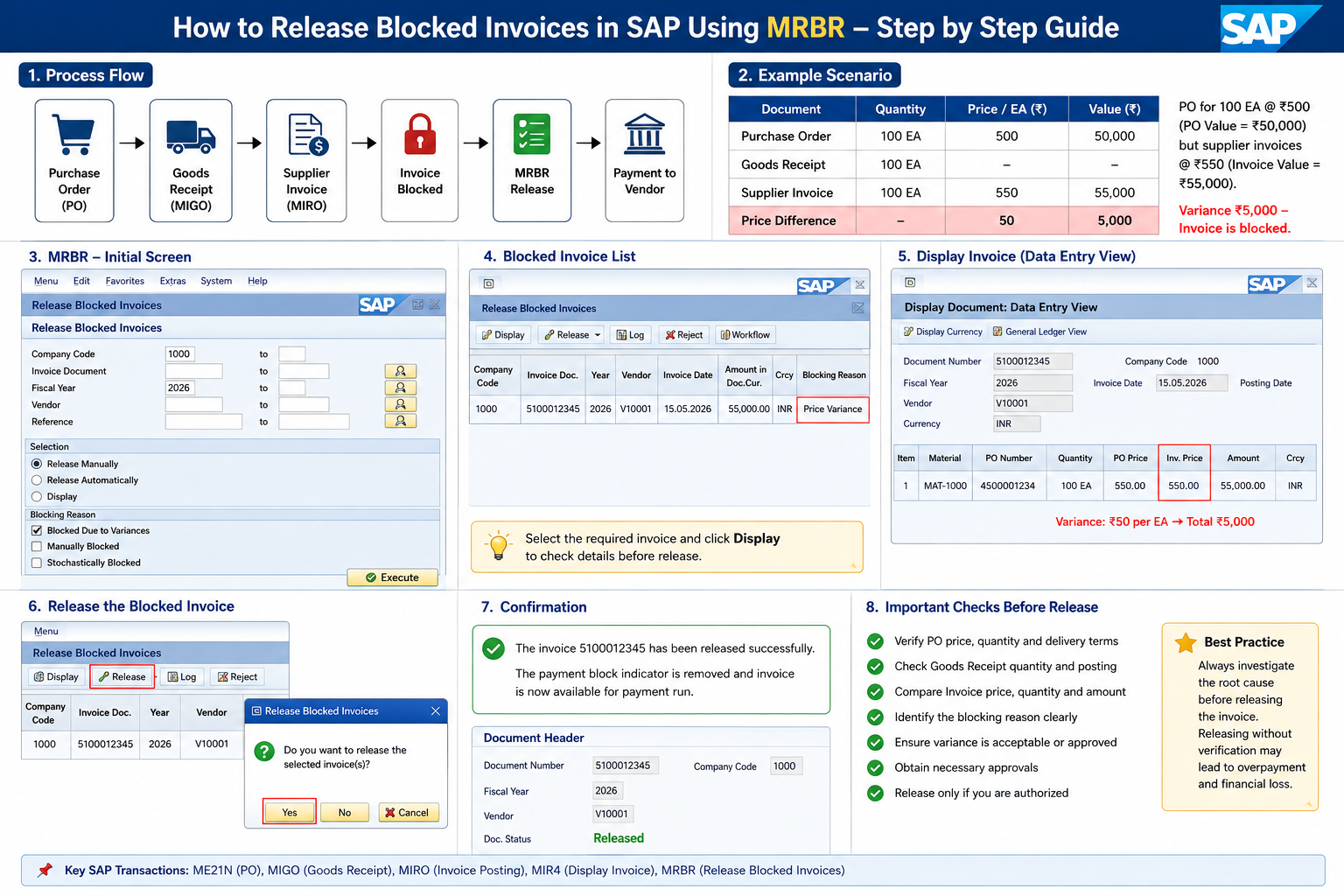
PO → Goods Receipt → MIRO → Invoice Block → MRBR → Release → Payment
Also Read: Invoice Processing in SAP MM: MIRO Step-by-Step Guide for Beginners
Practical Example
Suppose a company purchases 100 industrial bearings.
Purchase Order:
100 EA × ₹500 = ₹50,000
Goods Receipt:
100 EA received
Supplier Invoice:
100 EA × ₹550 = ₹55,000
Difference:
₹55,000 – ₹50,000 = ₹5,000
If the ₹5,000 variance exceeds the tolerance configured in SAP, the invoice may be blocked for payment.
How to Release a Blocked Invoice Using MRBR
Step 1: Open MRBR
Enter:
MRBR
in the SAP command field and press Enter.
The Release Blocked Invoices screen will open.
Step 2: Enter Selection Criteria
Enter the required details, such as:
- Company Code
- Invoice Document
- Fiscal Year
- Vendor, if required
Example:
Company Code: 1000
Invoice Document: 5100012345
Fiscal Year: 2026
Step 3: Choose the Release Method
Select either:
Release Manually
or
Release Automatically
For individual invoice verification, manual release is commonly used.
Step 4: Select the Blocking Reason
For a price or quantity difference, choose:
Blocked Due to Variances
Then click:
Execute (F8)
Step 5: Review the Invoice
Before releasing the invoice, check:
- PO price
- PO quantity
- Goods Receipt quantity
- Invoice quantity
- Invoice amount
- Blocking reason
- Required approval
For our example:
PO Price = ₹500/EA
Invoice Price = ₹550/EA
Variance = ₹50/EA
Total variance:
₹5,000
Do not release the invoice until you understand why the difference occurred.
Step 6: Correct or Approve the Difference
The supplier may have invoiced the wrong price, the PO may contain outdated pricing, or the Goods Receipt may have been posted incorrectly.
The responsible Procurement, Stores, or Finance team should investigate and resolve the issue according to company procedures.
Step 7: Release the Invoice
Once the issue is resolved and approval is available:
- Select the invoice.
- Click Release.
- Save the changes.
The applicable payment block is removed, allowing the invoice to continue through the normal payment process.
Manual vs Automatic Release
Manual Release: An authorized user reviews and releases the invoice individually.
Automatic Release: SAP can recheck eligible invoices to determine whether the original blocking reason is still valid.
MRBR vs MIRO
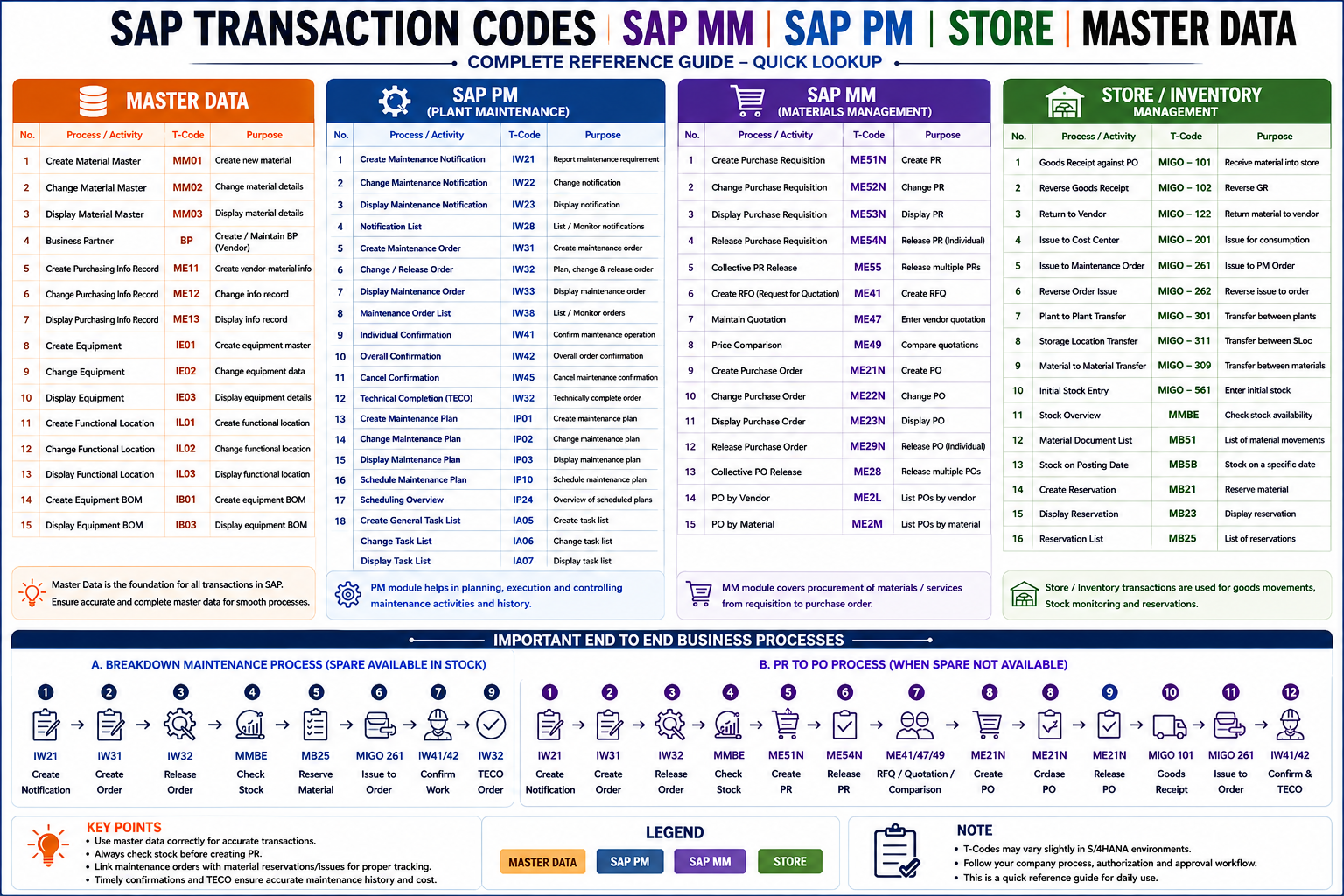
| Transaction | Purpose |
|---|---|
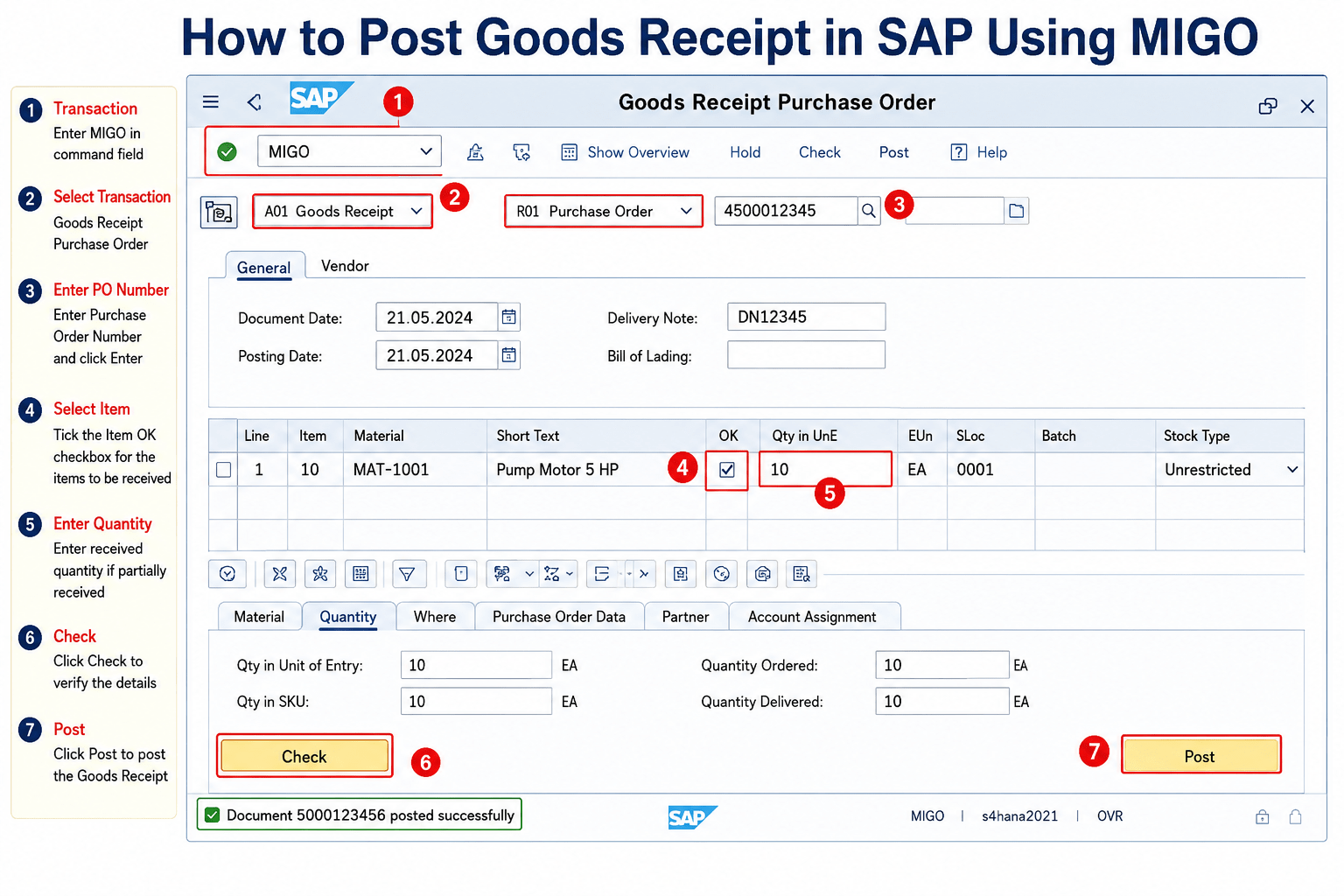
| MIGO | Goods Receipt / goods movements |
| MIRO | Supplier invoice processing |
| MIR4 | Display invoice |
| MRBR | Release blocked invoices |
Important Checklist Before Release
Always verify:
- Purchase Order
- Goods Receipt
- Supplier Invoice
- Price and quantity differences
- Blocking reason
- Required authorization
The most important rule is:
Do not release a blocked invoice without understanding the reason for the block.
Conclusion
MRBR is an important SAP MM and Accounts Payable transaction used to process blocked supplier invoices.
Remember the process:
PO → GR → MIRO → Variance Check → MRBR → Release → Payment
Understanding MRBR helps SAP users prevent incorrect vendor payments and maintain better control over invoice verification.
SEO Details
SEO Title: How to Release Blocked Invoices in SAP Using MRBR – Step-by-Step Guide
Meta Description: Learn how to release blocked invoices in SAP using MRBR with a practical example. Understand price variance, invoice blocking, manual release and SAP MM invoice verification.
Focus Keyword: Release Blocked Invoices in SAP
Tags: SAP MRBR, SAP MM, Blocked Invoice, SAP MIRO, SAP MIGO, Invoice Verification, SAP Procurement, Accounts Payable